All Courses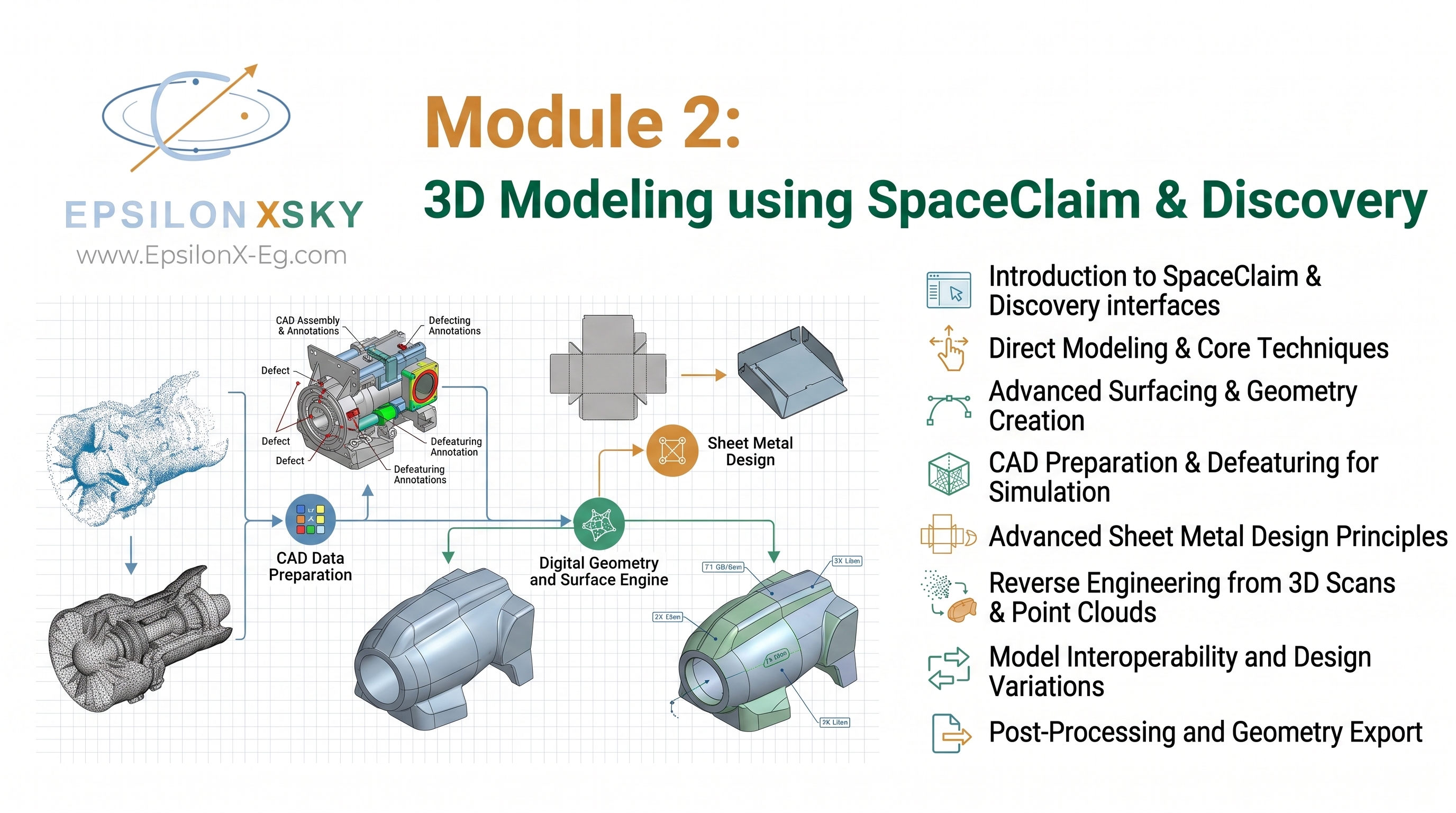
CourseBest Seller
Module 2: 3D Modeling using SpaceClaim & Discovery
14 sessions1 free preview
Curriculum
What you'll learn
14 sessions · 1 free
0149m
3D Modelling Lecture One
0252m
3D Modelling Lecture two
0357m
3D Modelling Lecture Three ( Blade Design)
0456m
3D Modelling Lecture Four (Complete Drone Design)
0557m
3D Modelling Lecture Five (Oil Rig)
0628m
3D Modelling Lecture Five (oil rig part two)
0729m
3D Modelling Lecture Six ( Line Modelling T-Column)
0830m
3D Modelling Lecture Six (Part Two - Line Modelling T-Column)
0957m
3D Modelling Lecture Seven(Pressure Vessel & Shell Modelling)
1039m
3D Modelling Lecture Seven( Part Two - Pressure Vessel & Shell Modelling)
1128m
3D Modelling Lecture eight 2D Enclosure Techniques for CFD
1228m
3D Modelling Lecture Nine 3D Enclosure Techniques for CFD
1329m
3D Modelling Lecture Nine Part Two 3D Enclosure Techniques for CFD
1457m
3D Modelling Lecture Ten Surface submodeling Techniques
Overview
About this course
Module 2 : 3D Modeling Using ANSYS SpaceClaim & Discovery
Build Simulation-Ready Engineering Models Using Professional Industrial Design Practices
Engineering simulation begins long before meshing or solving. The quality of every CFD, FEA, thermal, or multiphysics analysis depends on one critical factor: the quality of the CAD model. Poor geometry preparation often leads to failed meshes, inaccurate results, excessive computational time, and unnecessary engineering delays. In industrial environments, engineers spend a significant portion of every simulation project preparing CAD models rather than running the simulation itself.
Module 2 is specifically designed to bridge the gap between traditional CAD modeling and simulation-driven engineering. Rather than teaching generic CAD techniques, this module focuses entirely on creating, repairing, simplifying, and optimizing geometry for high-quality engineering simulations using ANSYS SpaceClaim and ANSYS Discovery.
Throughout this comprehensive module, you will learn the professional workflows used by simulation engineers in aerospace, automotive, energy, manufacturing, civil engineering, oil & gas, HVAC, electronics, and process industries. Every lesson is built around preparing robust simulation-ready geometry that minimizes preprocessing time while maximizing simulation accuracy.
Master the Complete SpaceClaim & Discovery Environment
The module begins with a comprehensive introduction to the ANSYS SpaceClaim and ANSYS Discovery environments, explaining how these powerful direct-modeling tools fit into the complete ANSYS Workbench ecosystem.
Unlike traditional history-based CAD software, SpaceClaim allows engineers to modify imported geometry quickly without rebuilding complex feature trees. This capability makes it one of the industry's most valuable tools for preparing simulation models from software such as SolidWorks, CATIA, Creo, Siemens NX, Inventor, and many other CAD platforms.
You will become familiar with the SpaceClaim interface, engineering workflows, modeling philosophy, navigation tools, and productivity techniques used by professional analysts.
Geometry Creation from Simple Parts to Complex Engineering Assemblies
The course covers every stage of engineering model creation, beginning with 2D sketching fundamentals before progressing to advanced three-dimensional modeling techniques.
You will learn how to create fully defined sketches, apply geometric constraints, use dimensional relationships, and build parametric models that remain flexible during design modifications.
Building upon these fundamentals, you will develop professional skills in:
Solid Body Modeling, Surface Modeling, Sheet Metal Modeling, Line Body Creation, Beam Modeling, Shell Body Generation, Mid-Surface Extraction, Thin-Walled Component Preparation.
These techniques allow engineers to accurately represent everything from simple machine parts to extremely large industrial assemblies while selecting the most computationally efficient modeling approach for each engineering application.
Rather than always creating full solid models, you will understand when to use 1D, 2D, or 3D representations, dramatically reducing computational cost while maintaining engineering accuracy.
Geometry Preparation for High-Quality Simulation
One of the most valuable sections of this module focuses on geometry preparation, which represents one of the most important—and often overlooked—steps in engineering simulation.
Imported CAD files frequently contain geometric imperfections that prevent successful meshing or significantly reduce solution accuracy. Engineers must identify and correct these issues before beginning any numerical analysis.
Using SpaceClaim's powerful repair tools, you will learn how to:
Repair Defective Geometry, Heal Broken Surfaces, Remove Tiny Edges and Sliver Faces, Eliminate Gaps and Overlaps, Correct Non-Manifold Geometry, Merge Disconnected Bodies, Repair Imported STEP, IGES, Parasolid, and CAD Files.
These industrial repair techniques ensure that models are robust enough for CFD, structural, thermal, and multiphysics simulations while reducing solver errors and preprocessing time.
Industrial Geometry Simplification Techniques
Real industrial assemblies often contain thousands of unnecessary geometric features that dramatically increase mesh size without improving engineering accuracy.
This module teaches the professional simplification strategies used by experienced simulation engineers to reduce model complexity while preserving the physics that influence simulation results.
You will master techniques including:
Defeaturing, Geometry Cleanup, Hole Suppression, Fillet Removal, Chamfer Removal, Small Feature Elimination, Internal Volume Extraction, Flow Domain Generation, Assembly Simplification
Understanding which features influence engineering behavior—and which can safely be removed—is one of the most valuable skills a simulation engineer can develop.
These optimization techniques reduce computational time, improve mesh quality, and allow simulations to converge more efficiently without sacrificing engineering accuracy.
Simulation-Oriented Engineering Modeling
Unlike traditional CAD training, this module continuously emphasizes the relationship between geometry and simulation.
You will learn how modeling decisions influence:
Mesh Quality, Numerical Stability, Computational Cost, Solver Convergence, Simulation Accuracy, Post-Processing Efficiency.
Special attention is given to creating models specifically optimized for:
Structural Analysis (FEA), Computational Fluid Dynamics (CFD), Heat Transfer, Modal Analysis, Fatigue Analysis, Dynamic Simulations, Multiphysics Applications.
By understanding the requirements of each solver, you will know exactly how to prepare geometry for different engineering disciplines.
Advanced Engineering Tools for Professional Workflows
As projects become more complex, efficient model organization becomes essential.
This module introduces several advanced SpaceClaim capabilities that significantly improve industrial workflows, including:
Named Selections, Topology Sharing, Parameterization, Design Modifications, Engineering Automation, Reverse Engineering Fundamentals.
You will understand how these tools streamline large engineering projects, simplify communication between different ANSYS modules, and support automated optimization studies.
Parameterization techniques allow engineers to modify dimensions quickly and perform design iterations without rebuilding models from scratch—an essential capability for modern engineering optimization.
Hands-On Industrial Engineering Projects
Theory alone is never enough to master engineering software.
Throughout Module 2, every major concept is reinforced through realistic industrial projects representing multiple engineering disciplines.
You will build and prepare simulation-ready models for projects such as:
Quadcopter Assembly: Multi-Component Mechanical Assemblies, Lightweight Structural Modeling, Assembly Preparation.
Truss Structures: Beam Element Modeling, Structural Simplification, Joint Preparation.
Electric Transmission Tower: Large-Scale Lattice Structures, Line Body Creation, Efficient Structural Representation.
Pressure Vessel: Shell Modeling, Symmetry Utilization, Thin-Wall Simplification.
Piping & Plumbing Systems: Complex Pipe Routing, Flow Volume Extraction, CFD Preparation.
Heat Exchanger: Internal Flow Domains, Surface Simplification, Thermal Simulation Preparation.
Storage Tank: Large Industrial Equipment, Structural and Fluid Modeling, Geometry Optimization.
Industrial Support Structures: Steel Frameworks, Beam and Shell Combinations, Practical Engineering Workflows.
These projects replicate real engineering challenges encountered in industry and prepare you to confidently handle complex simulation models.
Professional Engineering Workflow
The module concludes by demonstrating the complete industrial workflow followed by professional simulation engineers.
From receiving an imported CAD model through geometry repair, simplification, parameterization, preparation for meshing, and final validation, you will understand every stage required before launching a CFD or FEA analysis.
By following these standardized engineering procedures, you will significantly reduce preprocessing time while producing higher-quality simulation results.
By the End of Module 2, You Will Be Able To:
-Confidently navigate ANSYS SpaceClaim and Discovery.
-Create professional simulation-ready CAD models from scratch.
-Build solid, surface, shell, beam, and line body models.
-Prepare imported CAD files from multiple software platforms.
-Repair defective geometry using industrial repair techniques.
-Simplify complex assemblies without compromising engineering accuracy.
-Extract mid-surfaces for shell-based simulations.
-Generate internal flow volumes for CFD analyses.
-Apply Named Selections and Topology Sharing efficiently.
-Parameterize models for design optimization studies.
-Understand reverse engineering fundamentals.
-Apply professional industrial workflows across multiple engineering disciplines.
Why This Module Matters
Professional simulation engineers are distinguished not only by their ability to run ANSYS solvers, but by their ability to prepare clean, efficient, and simulation-ready geometry. Module 2 develops this critical skill by combining advanced CAD modeling, geometry repair, simplification, and industrial best practices into one comprehensive learning experience.
By mastering ANSYS SpaceClaim and ANSYS Discovery, you will dramatically improve your productivity, reduce simulation preparation time, increase mesh quality, and build robust engineering models ready for advanced CFD, FEA, thermal, and multiphysics analyses across virtually every engineering industry.